
Disclosure: This page may contain affiliate links. The Tutor Resource is a participant in the Amazon Services LLC Associates Program as well as other affiliate programs. These are designed to provide a means for us to earn fees by linking to Amazon and affiliated sites at no extra cost to you. Please see our full disclosure for more details.
Essential Online Teaching Laptop Requirements for Any Platform (2024)
If you’re looking for which online teaching laptop requirements you need for success in your online tutoring business, you’re in the right place!
Whether you’re teaching virtual classes full-time or just picking up a side tutoring gig, having the right laptop is crucial for online educators. We should know because we’ve been teaching online since the early 2010s, and we know what works best.
With so many options on the market, figuring out what laptop will best suit your online teaching needs can be overwhelming. This guide breaks down the key specs to look for to ensure a smooth virtual classroom experience.
Let’s go!
Online Teaching Laptop Requirements Summary
While different teachers will have varying computing needs, any suitable online teaching laptop should at least meet these fundamental requirements:
✔️ 8th Gen Intel Core i5 / AMD Ryzen 5 processor or better
✔️ 8GB RAM minimum, 16GB recommended
✔️ 256GB SSD or larger
✔️ 1920 x 1080 IPS display
✔️ 720p webcam
✔️ Dual microphones
✔️ WiFi 5 (802.11ac) wireless
✔️ Windows 10 or macOS 10.15+
Our Top Picks: Online Teaching Laptops
All three of these laptops meet or exceed our minimum essentials and would be a solid choice. The Dell balances performance and portability, the Lenovo offers ample RAM and storage, and the HP gives you a larger display and the latest Intel chip.

⭐️⭐️⭐️⭐️⭐️
Dell Inspiron 14 5000
✅ 11th Gen Intel Core i5 Processor
✅ 14″ Full HD Anti-Glare Display
✅ Wi-Fi 6 Connectivity

Lenovo IdeaPad Slim 7
✅ AMD Ryzen 7 5700U Processor
✅ 16GB RAM
✅ 512GB SSD
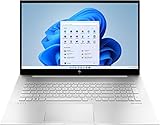
HP Envy 17t
✅ 17.3″ Full HD IPS Display
✅ 12th-Gen Intel Core i7
✅ Dual-Array Digital Microphones
Laptop Requirements for Online Teaching
So now that you know our short list of the required laptop specs for online teaching, let’s discuss why each is important in more detail. This will help you make a buying decision for a device in your budget.
Processor Power
The processor (or CPU) is the brain of your laptop, handling all of the computational heavy lifting. For online teaching, you’ll want a relatively recent processor model with good multi-tasking capability.
While top-of-the-line processors provide blazing speeds, even mid-range chips from the last few years should suffice for basic online teaching needs like screen sharing, video conferencing, and running teaching apps.
When choosing a processor, look for an Intel Core i5 or i7 from the last 2-3 generations, or an AMD Ryzen 5 or 7. Avoid entry-level Celeron, Pentium or older Core i3 chips, as they may struggle handling multiple apps simultaneously.
If you plan on doing heavy multimedia editing or computing tasks beyond teaching, then opt for a higher-end i7 or Ryzen 7 processor.
RAM: The More The Better
RAM (Random Access Memory) allows your laptop to handle multiple apps and browser tabs simultaneously without slowing to a crawl. For general online teaching purposes, 8GB is the bare minimum, but 16GB is really the sweet spot for a smooth experience.
With 16GB, you can comfortably run your video conferencing software, lesson plan apps, screen sharing tools, and still have room for other applications without issues.
If your laptop only has 4GB RAM, be prepared for slowdowns, lag, and freezing issues when multitasking between too many programs at once.
On the other hand, massive amounts of RAM like 32GB are overkill for online teaching alone unless you’ll also be using the laptop for intensive video editing, 3D modeling or data analysis work on the side.

Storage: Solid State is a Must
When it comes to hard drive storage for your online teaching laptop, you have two main options: traditional hard disk drives (HDDs) or newer solid-state drives (SSDs).
We’ve used both over the years. HDDs are larger capacity but slower, while SSDs are smaller but blazingly fast.
For online teaching where loading speed is paramount for your apps and files, you’ll absolutely want to choose an SSD as your main storage drive. It really does make a big difference.
SSDs with at least 256GB capacity strike the ideal balance of speedy performance and reasonable storage space for most online teachers. If you need more room for multimedia lessons, opt for 512GB or 1TB.
HDDs are fine for extra storage but they should never be your main drive due to sluggish performance.
If you keep most files in cloud storage as we do and have a modest collection of virtual teaching materials, you can likely get away with a 256GB SSD and skip the extra HDD entirely.
Display Quality Matters
While a laptop’s display may not seem as important as internal specs, having a high-quality screen makes a big difference for virtual teaching.
You’ll frequently stare at this display during classes, demos, and lesson creation. Look for the following in an online teaching laptop’s screen:
- 1920 x 1080 Full HD resolution as a minimum for crisp image quality
- IPS (in-plane switching) panel type for wide viewing angles
- Matte/anti-glare coating to reduce distracting reflections
- Adequate brightness of at least 300 nits or higher
- 16:9 aspect ratio is ideal for most virtual classroom setups
Higher-end laptop displays with 4K ultra HD resolution, HDR, and OLED panels provide even better visuals but come at a premium price that’s not essential for basic online teaching needs.

Webcam & Audio Capabilities
Video conferencing is the bread and butter of online teaching, so you’ll want a laptop with capable built-in webcam and microphone for virtual lessons.
At the bare minimum, look for laptops with at least 720p webcam resolution and dual microphones. HD 1080p webcams with noise-canceling mics provide better video and audio fidelity.
Some premium laptops even include 4K webcams and studio quality microphone arrays, which can be useful for producing pre-recorded video lessons or streaming on platforms like Twitch.
For the ultimate experience, you may want to supplement the built-in webcam and mics with higher-end external audio/video gear. But the laptop’s built-in equipment should meet basic needs.
Wireless Connectivity
Unless you plan on teaching tethered to an ethernet cable, reliable WiFi is a must-have for any online teaching laptop. This is especially true if you work remotely or as a digital nomad, like us.
At the very minimum, make sure your laptop supports modern WiFi 5 (802.11ac) for adequate wireless speeds and range.
The latest WiFi 6 and 6E standards provide even better performance and bandwidth, which helps in scenarios like hosting virtual classrooms with many students.
Bluetooth 5.0 or higher is also useful for connecting wireless peripherals like headsets without latency issues.

If you’re still seeking more computers for online teaching, we can help with that, too!
Final Thoughts: Online Teaching Laptop Requirements
From video conferencing sessions and facilitating screen-sharing activities to seamlessly running education software and efficiently storing/accessing lesson plans, having a device that has the basic online teaching laptop requirements is really important.
With your core laptop specifications covered, you can manage all fundamental virtual teaching tasks smoothly without encountering frustrating technical limitations.
The ideal laptop for online instruction may vary slightly for each teacher based on their specific needs and preferences, but starting with our list of hardware foundations will reduce your risk of facing major performance bottlenecks from the start.
Good luck!


