Disclosure: This page may contain affiliate links. The Tutor Resource is a participant in the Amazon Services LLC Associates Program as well as other affiliate programs. These are designed to provide a means for us to earn fees by linking to Amazon and affiliated sites at no extra cost to you. Please see our full disclosure for more details.
Essential Remote Work Ergonomic Tips to Avoid Becoming a Hunched-Over Laptop Goblin (2024)
Struggling with finding a comfortable remote work setup? You’ve come to the right place because our personally tested remote work ergonomic tips can help!
Whether you’re a full-time remote worker or a digital nomad traveling the world, improper ergonomics can lead to aches, pains, and discomfort from being hunched over a laptop day after day.
I worked in HR before becoming a digital nomad, so I know ergonomics! It was part of my job to ensure the employees I supported could do their job safely and comfortably. Doing it remotely isn’t much different.
Poor posture, inadequate lighting, awkward screen angles, and lack of movement can all contribute to musculoskeletal issues and eye strain over time. We’ve experienced it!
But with some simple adjustments and the right tools, you can significantly improve your ergonomic situation – even when working from temporary spaces like hotels, short-term apartment rentals, or coworking spaces.
These are the remote work ergonomic tips that have helped us make our remote work setup healthier and more comfortable. We hope they can help you, too. Let’s go!
Optimize Your Work Area
Having a dedicated workspace, even if it’s a small corner of a room, goes a long way. Avoid working from bed, couches or other soft surfaces as they lack support and make it hard to maintain good posture.
Ideally, choose a standard desk or table for working. Push it up against the wall if you don’t have an actual desk to help keep your back straighter.
Many digital nomads, including us, travel with a portable laptop desk or tray table that allows working from any flat surface at proper height.
If making do with a lower coffee table or nightstand, use firm pillows or books to raise your laptop closer to eye level. Maintain that 90-degree or slightly open angle at the knees, using a box or stool as a footrest if needed.
For adequate lighting, position a lamp or ring light just behind your screen to illuminate the work surface without casting glare on the monitor. Close blinds or shades if dealing with sunlight shining directly on your screen.

Chair Adjustments
Not everyone has the luxury of an ergonomic office chair when working remotely. Make whatever chair you have as comfortable as possible by adding a lumbar roll, small pillow or rolled up towel in the small of your back for support.
Make sure your feet are flat on the floor, using a footrest if needed. You can improvise with boxes, books or other sturdy objects at the right height.
Distribute leg weights evenly and switch leg positions often. Some people like resting legs on an ottoman, but be sure to maintain that 90-degree or open hip angle.

Laptop and Device Setup
When possible, use a laptop riser or stack of books to get your screen closer to eye level while using an external keyboard and mouse for better ergonomics. This prevents you from hunching and craning over the laptop for hours.
For tablet and smartphone use, alternate between holding the device up and propping it on stands or mounts. Consider using the voice-to-text function and wireless headsets to reduce strain on arms and shoulders. Increase font sizes as needed to prevent squinting.
For any device work, take advantage of apps that encourage movement reminders and 20-20-20 breaks to prevent eye fatigue. Every 20 minutes, look at something 20 feet away for 20 seconds.

Take Posture Breaks
Set a timer to go off every 30-60 minutes as a cue to get up, stretch, and move around. Even just two minutes of stretching and walking around allows improved circulation and prevents you from staying stuck in one position too long.
Trade sitting for standing when possible – maybe stack some books on a counter and stand for certain tasks or phone calls. You can find compact laptop and monitor stands designed for short-term standing use.
Consider workstation exercises, such as rotating your shoulders, rolling your neck, arm circles and torso twists. Just moving around keeps your joints loose and muscles engaged.

Walk-and-Talk
Digital nomads often take their laptops to parks, cafes or other remote locations to work. Whenever possible, take phone calls and video meetings outside for a walk. Use wireless headphones or a headset to keep hands free.
Walking for at least part of your calls gets you up from a seated position and allows you to move more. The change of scenery is also a refreshing way to break up long bouts of computer work.
Bonus: Hydration & Nutrition
Integrating these habits into your remote work routine complements ergonomics by addressing holistic body and mind needs. Keep water at your workspace, hydrate regularly to boost cognitive function and energy levels, and prevent fatigue.
Taking breaks for healthy snacks or meals away from your desk encourages movement, mental reset, sustained energy, and concentration for tackling tasks effectively.
A balanced diet with nutrient-rich foods supports physical and mental well-being, enhancing productivity for remote work.

Pack an Ergonomic Toolkit
When working from temporary spaces, you want to ensure that you have everything that you need to help prevent ergonomic issues.
You can find makeshift items to address some issues, but it’s helpful if you have the space to bring a portable ergonomic toolkit with you containing:
- Cooling laptop/monitor riser stand
- Computer-mounted desk lamp
- Chair-mounted background
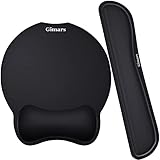
- Ergonomic mousepad & keyboard wrist rest
- Travel keyboard and mouse
- Compact footrest
- Back support cushion
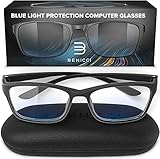
- Blue light screen filter or blue light blocking glasses
- Webcam privacy cover
From personal experience, we know these accessories can drastically improve a remote work ergonomic setup at hotels, short-term rentals, and coworking spaces. Look for options that are lightweight, collapsible, and easy to pack.